
 Back to SPOT list
Gather your
favorite places
into a SPOT!
Easy to
create
in the app
-
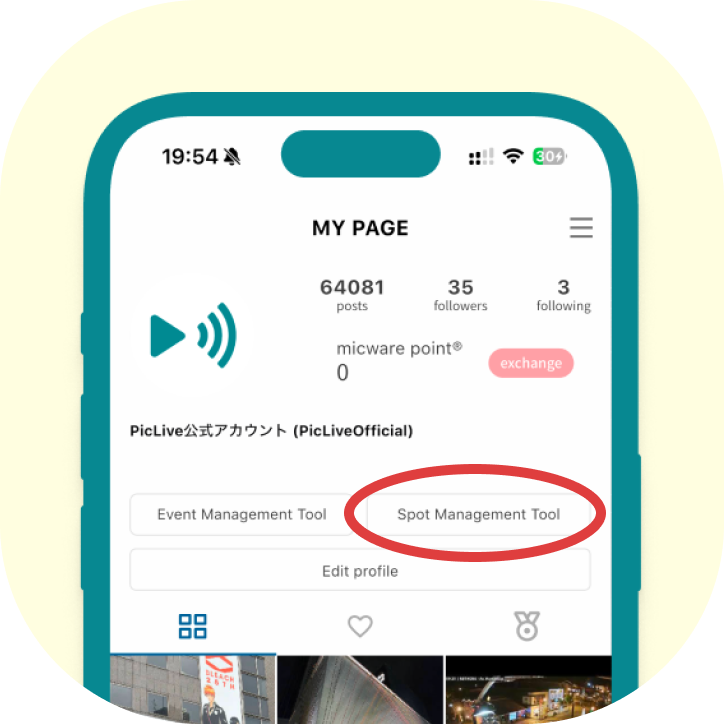
Open the “Spot Management Tool” from My Page.
-
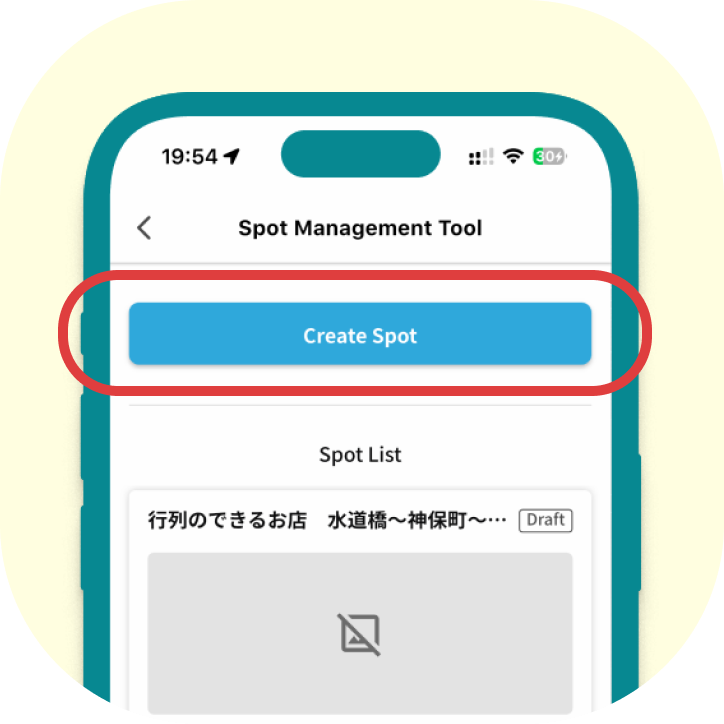
Tap “Create Spot.”
-
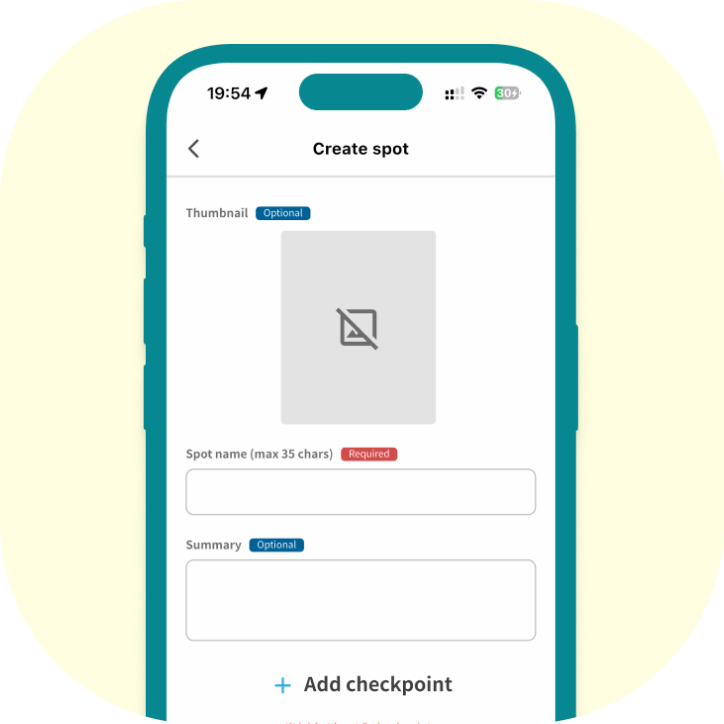
Add a thumbnail, spot name and description, then start adding checkpoints.
-
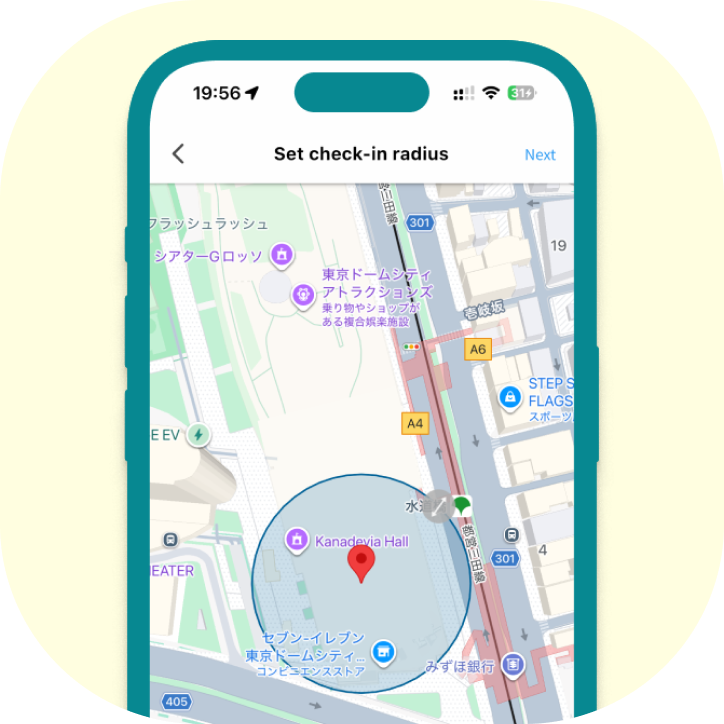
Choose the checkpoint location and set its check-in radius.
(Minimum: 25 m) -
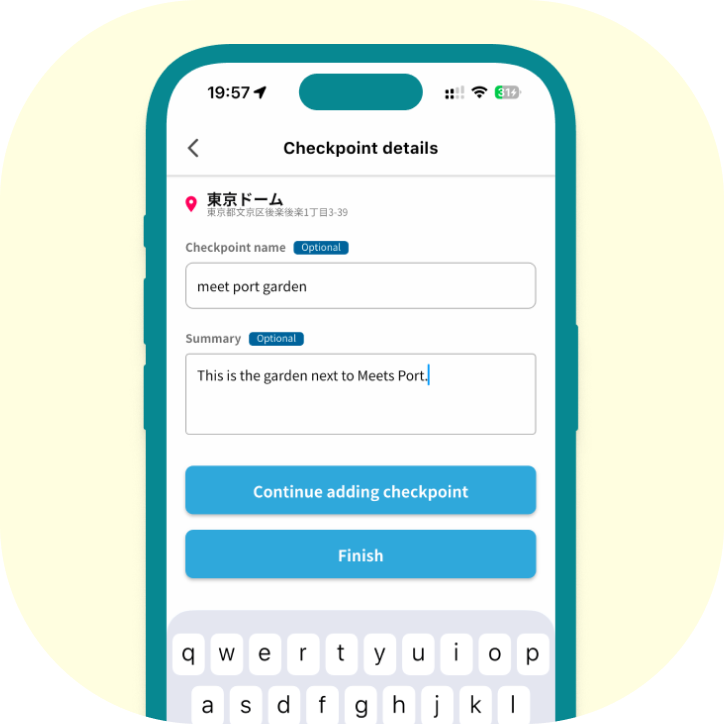
Enter the checkpoint name and description, then add the checkpoint.
-
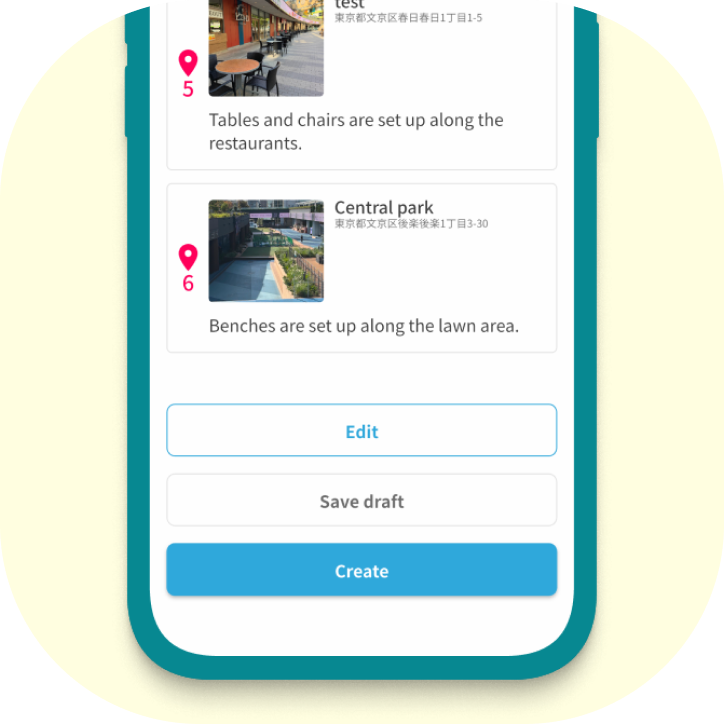
Tap “Save draft” to keep your SPOT private for now, or “Create” to publish it.
-
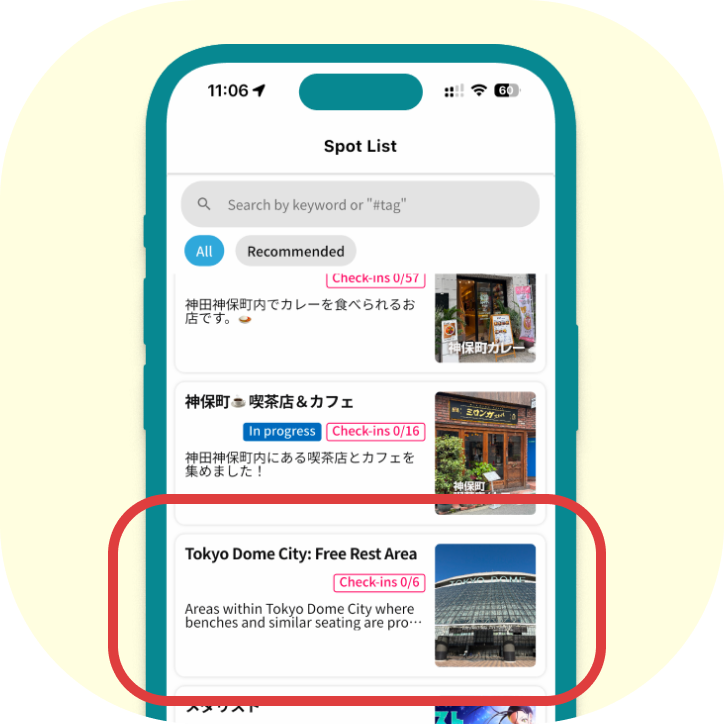
Your SPOT is published to the SPOT list and the MAP. Share it and spread the word!
Get the PicLive app